How to Make Circular Progress Bar? Step 0. Circular bar is cool to look, but find angle(or percentage) per pixel in runtime is costly. Especially rounded tip(or rectangle) is worse. So, we need... - Texture that has angle per pixel from center. - The value must have sufficient resolution. 2 byte(1/65536) will be OK. - Must support various shapes. Step 1. Prepare angle lookup-texture and diffuse texture. Prepare angle lookup-texture and diffuse texture. These are that textures that I made. I'll let you know in another post how I made that textures with C#. Step 2. Import Textures. To keep original value, change lookup texture properties just like a screen shot below. Step 3. Material This is a material that work with the lookup textures. It is Unreal Engine 4 material but you can make it Unity version easily. In most cases, this is sufficient, the improved version will...
Step 0. A well-made game shows a lot of characters without losing the quality of the rendering. In general, fewer bone counts and proper LOD usage will help optimize character rendering performance. A closer look reveals that the animation is being reused. Undoubtedly it will be very helpful. This time, we will do a basic test for 'animation reuse' with Unreal engine 4. Step 1. 'Set Master Pose Component' is the blueprint we were looking for. I've used it before in another article. https://gameenginebread.blogspot.com/2017/09/render-skeletal-mesh-with-different.html Step 2. Create many characters for testing. I used 21 * 21 characters. Step 3. This is the result of reusing the animation. Type console command 'stat anim' to see detail. 'AnimGameThreadTime' : 2.91ms CPU i7 6700k and Geforce 1060 are installed in the test PC. Step 4. Remove link to 'Set Master Pose Component' node and test a...
In this post, let's create a MatCap material. Please refer to the link below for a description of the MatCap material. https://www.youtube.com/watch?v=Yg5ULaS2jMk or http://wiki.unity3d.com/index.php/MatCap Step 1. Material This is the material. Step 2. Texture You should have textures similar to the following: Step 3. Result
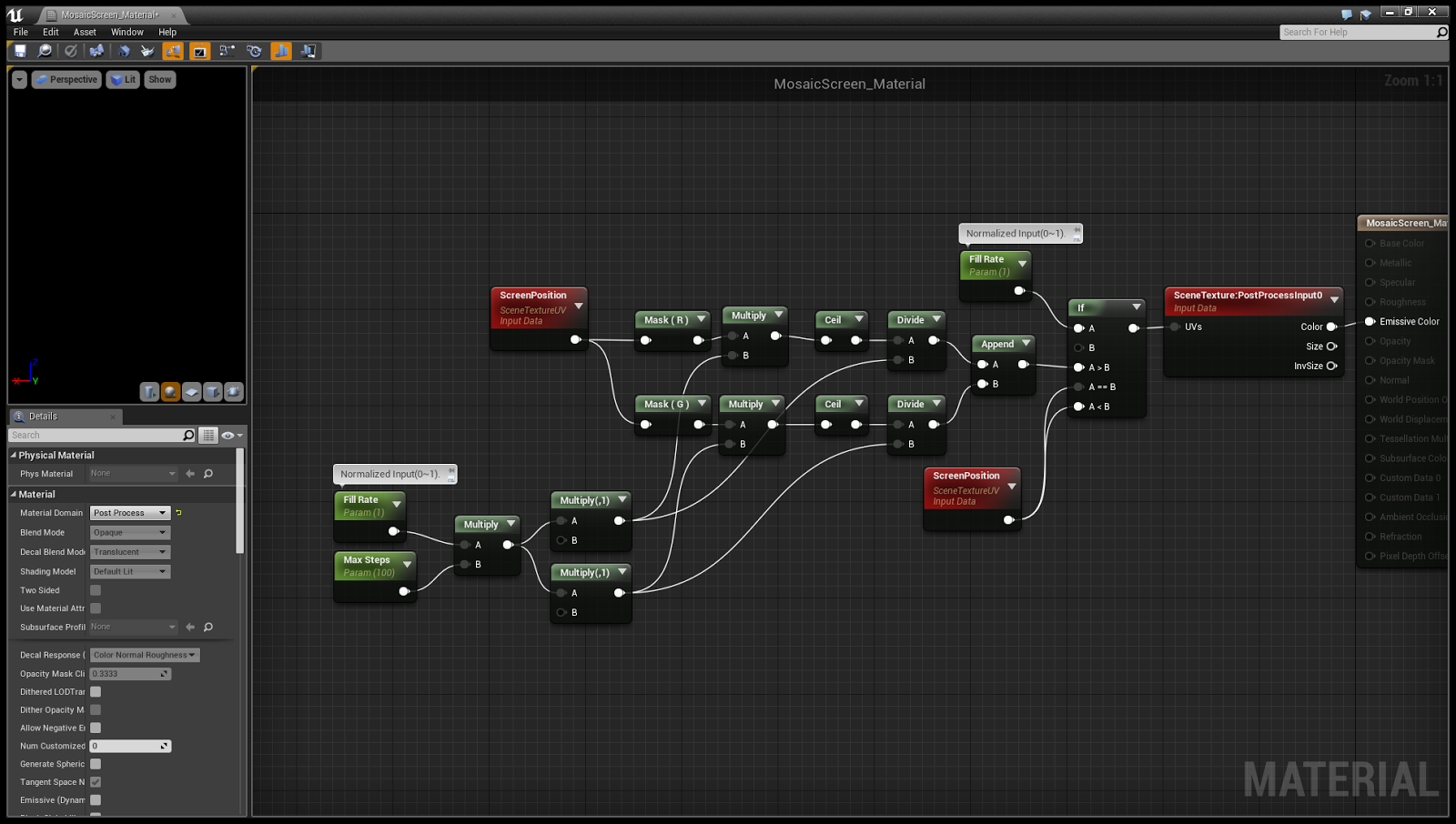


Screen Mosaic Effect Material >>>>> Download Now
ReplyDelete>>>>> Download Full
Screen Mosaic Effect Material >>>>> Download LINK
>>>>> Download Now
Screen Mosaic Effect Material >>>>> Download Full
>>>>> Download LINK ln