Posts

Showing posts with the label Blueprint

Simple morphing with material

Image
Morphing with material can reduce animation production costs. You can also take advantage of the unique feel. Let's make a simple example. Step 1. Material This is the material. The most important thing is how to construct 'the final shape'.  There are so many possibilities.  In other situations, you can replace it with 'local position' instead of 'world position'. At the middle step, add some noise to make it look magical. Step 2. Update Parameters This is the Blueprint of the Morphing Character. More... Consider these. You can not control details. So, this method may not be effective if it is slowly deformed. You must have the appropriate animation. It is better if the appropriate particle effect is used at the same time. Perhaps the material node graph will become very complex. Optimization is required. It may be better for a projectile than a character. (e.g. Ghost shape arrow)

Maintaining a Line of Unexecuted Nodes

Image
Sometimes you do not want to run some blueprint nodes, but you may want to keep them connected. You can do that with 'Blueprint macros'. Step 1. Create new 'Blueprint Macro Library'. Step 2. // This is the result. Step 3. /* , */ This is the result of each. In this case, you need to create a '*/' node that very useless and not clear. Step 4. /// This is more effective than previous implementations.

Explore 'Blueprint nativization method'(Not deep inside)

Image
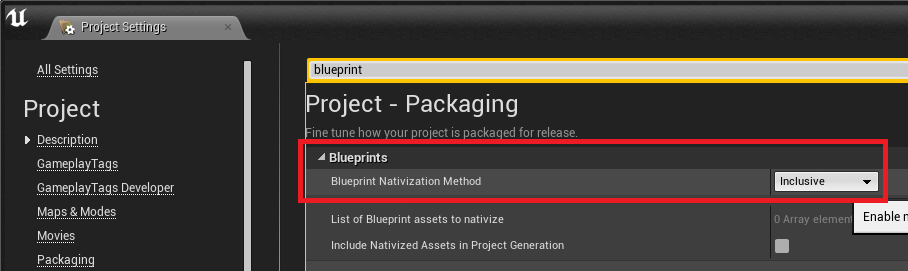
Perhaps many people are wondering if 'Blueprint nativization method' works well. It is difficult to look at all its internal structures and processes. However, if you are creating a game for the end consumer, it's great to know the key features. So I tested it very simply. Tested with Unreal Engine version 4.18.3. Step 1. Create a test actor and add a variable. Adds a simple toggle action. Step 2. Open the log and find the file. In my case, there was a file in the folder below : \Intermediate\Plugins\NativizedAssets\Windows\Game\Source\NativizedAssets\Private  You can see the code to be executed as shown below. Here is a simple example. Test yourself for a much more complex case. Step 3. Naming Test Let's test if you use a variable name that is not available in C ++. I will use East Asian characters. Disallowed characters have been changed to the appropriate characters. Step 4. File or Folder name Where special char...

Changing the alpha of a blueprint connection line

Image
Blueprint UI is already great but you may want to change it a little bit. In this posting, we will change the alpha of link line. The example is simple, but you'll get an idea of where to fix it. Step 1. \Engine\Source\Runtime\SlateCore\Private\Rendering\ElementBatcher.cpp Locate the above file and modify it as shown below. Honestly, it is not as readable as the original code. Let's improve a little more. Step 2. Let's change it to only apply when the line length is greater than 700. Here is the result screen. I picked a blueprint that included longer lines. The mid blue line is much more readable. It would be nice to add more exception conditions. I will finish the example here. More. Consider the following: Applies only when the length is very long(>=1000). Applies only when the curve has a large S shape. You can also change 'Thickness' instead of 'Alpha'. It should be able to turn on/off on the setting scre...

Visualize game stat in the editor's viewport

Image
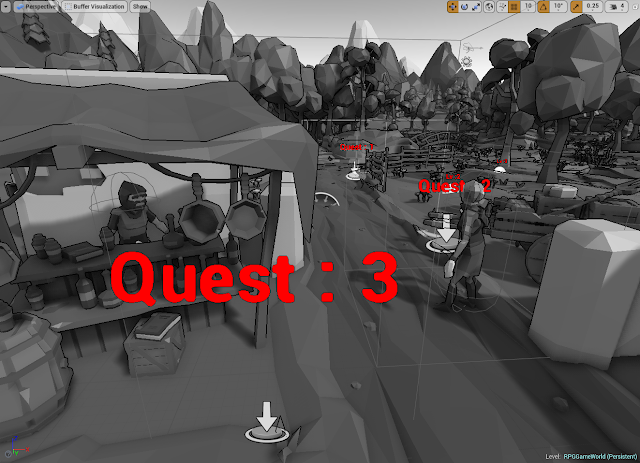
In previous postings we implemented the ability to manage game content using 'Customize Buffer Visualization' and 'TextRenderComponent'. https://gameenginebread.blogspot.com/2017/12/customize-buffer-visualization-for-rpg.html However, depending on the situation, it can be more convenient if the changed value is automatically applied to the 'TextRenderComponent'. So in this post, let's create a class with 'TextRenderComponent' to use this feature. Step 1. We will implement a class to find the variable of the specified 'Parent(Owner) Actor' and output the value as text. Create a 'VariableWatcherComponent' class that inherits from 'TextRenderComponent'. Step 2. Let's skip the long explanation and see the results. This is the final code. This code only supports numeric variables. VariableWatcherComponent.h 1 2 3 4 5 6 7 8 9 10 11 12 13 14 15 16 17 18 19 20 21 22 23 24 25 26 27 28 29 30 3...

'Behavior Tree' basic tutorial for RPG citizen

Image
This is very basic tutorial but the contents of the official document are omitted. Official document : https://docs.unrealengine.com/latest/INT/Engine/AI/BehaviorTrees/QuickStart/ Behavior Tree is a concept unfamiliar to many people. The links below have been very helpful in understanding a behavior tree : https://en.wikipedia.org/wiki/Behavior_tree_(artificial_intelligence,_robotics_and_control) Official Unreal tutorial is great but in this time, we will make more simpler one. So, let's implement a general RPG game NPC AI. Step 1. Plan NPC have 3 tasks.  Wandering : Go here and there(where 'note' actor placed).  Look around : Do rotate for a while.  Angry to player : Keep watching player till go out of sight. Step 2. Behavior tree This is the final behavior tree result. We will make 3 custom tasks and 1 custom decorator. (If we have the opportunity, I will cover more in other articles) Make new 'Task' blueprints. Step 3....

Look at the object by rotating head

Image
Step 0. If you move the character's head according to the environment change, the game quality will increase. It feels like there is a better AI and more animations. So we try bone rotation to see world actors. Step 1. Place NPC characters. You can substitute another class for testing. Step 2. Edit character blueprint. Add a vector that named 'InterestingLocation'. Add a function to find the nearest interesting location in the world space. Step 3. Find proper bone to use. We will use 'neck_01' here. Step 4. Edit AnimGraph. Add a 'Transform bone' node. Set the value as shown in the screenshot below. Step 5. This is animation event graph. Depending on character blueprint and bone rotation, 'Make Rot from Y' should be replaced with 'Make Rot from X' or something else. The remaining issue... - If you want smooth transition, you need to make more changes. - It shou...