Posts

Showing posts with the label Editor

Material Parameter Test Helper(C++)

Image
In general, there are too many combinations of material parameter values. So, in this article, let's create a actor that help us. Step 1. New actor with C++ The c ++ fix is required to see it in the Editor Viewport. UpdateMaterial () content is a core feature of this actor. Step 2. Blueprint Decorate the Actor a little. Step 3. Material Create a test material. Step 4. Level Place multiple StaticMeshActors and apply test material. Set Actor and value as shown on the right side of the screenshot. Step 5. If you want to check the values in detail, double-click the material. The remaining issues - Sometimes material values may not be applied properly. If so, restart the editor or level. - Vector parameters must be supported.

Changing the alpha of a blueprint connection line

Image
Blueprint UI is already great but you may want to change it a little bit. In this posting, we will change the alpha of link line. The example is simple, but you'll get an idea of where to fix it. Step 1. \Engine\Source\Runtime\SlateCore\Private\Rendering\ElementBatcher.cpp Locate the above file and modify it as shown below. Honestly, it is not as readable as the original code. Let's improve a little more. Step 2. Let's change it to only apply when the line length is greater than 700. Here is the result screen. I picked a blueprint that included longer lines. The mid blue line is much more readable. It would be nice to add more exception conditions. I will finish the example here. More. Consider the following: Applies only when the length is very long(>=1000). Applies only when the curve has a large S shape. You can also change 'Thickness' instead of 'Alpha'. It should be able to turn on/off on the setting scre...

Visualize game stat in the editor's viewport

Image
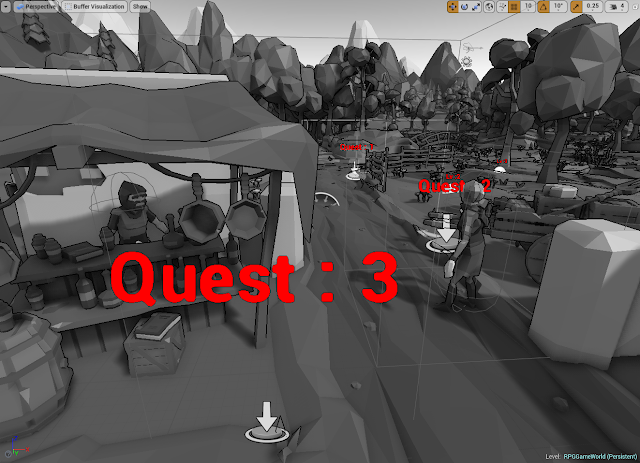
In previous postings we implemented the ability to manage game content using 'Customize Buffer Visualization' and 'TextRenderComponent'. https://gameenginebread.blogspot.com/2017/12/customize-buffer-visualization-for-rpg.html However, depending on the situation, it can be more convenient if the changed value is automatically applied to the 'TextRenderComponent'. So in this post, let's create a class with 'TextRenderComponent' to use this feature. Step 1. We will implement a class to find the variable of the specified 'Parent(Owner) Actor' and output the value as text. Create a 'VariableWatcherComponent' class that inherits from 'TextRenderComponent'. Step 2. Let's skip the long explanation and see the results. This is the final code. This code only supports numeric variables. VariableWatcherComponent.h 1 2 3 4 5 6 7 8 9 10 11 12 13 14 15 16 17 18 19 20 21 22 23 24 25 26 27 28 29 30 3...

Mini map : Match 2D images to the 3D world

Image
In this post, Lets's talk about how to match 2D images to the 3D world with Unreal Engine 4. A lot of things are needed to create a AAA game style mini-map. Here are a few typical requirements:  - Priority for indoor and outdoor support.   - Indoor mini map should working with various house shape.  - The top direction of the 2D image may not be the north direction.  - Easy to setup. If you have a wide world and a lot of mini-maps, the easiness of installation is most important.In such cases, you should be able to install and verify immediately in the UE4 editor. You must use C++ class this time to make it working in the editor. This is because the 'PostEditChangeProperty' function is required and editor's viewport action does not run 'Blueprint' at all. Step 1. It takes a long time to describe each item, so I'll show you the final result immediately. This is the result video. Step 2. This is the code of MiniMapActor. ...